Library
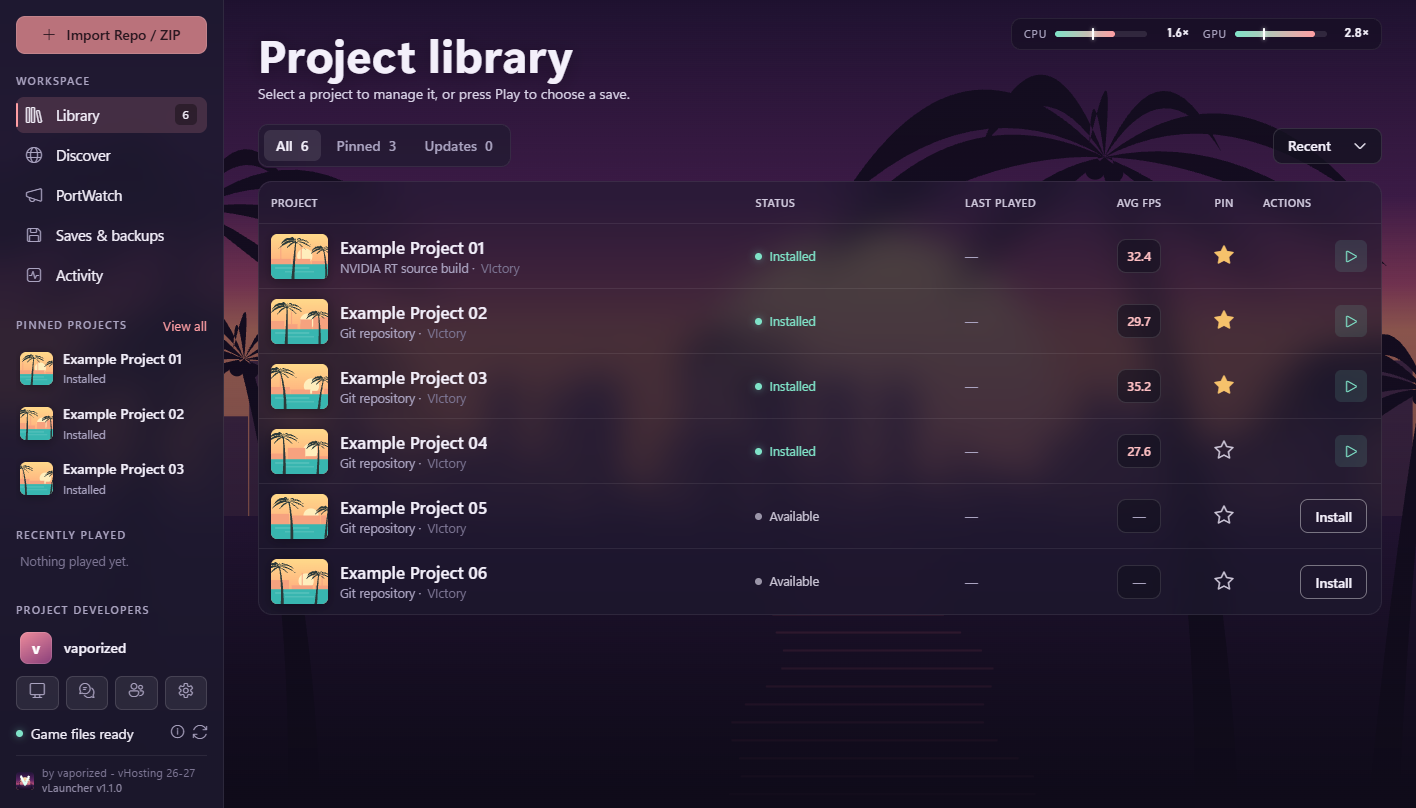
Install, update and play every build from one list with status, last played, average FPS and pins. Several installs run at once, and updates are checked every 15 minutes.
 vLauncher
Download
by vaporized · vHosting 26-27
vLauncher installs, updates and plays VIctory builds, prebuilt ZIPs and Rust projects side by side. Start any of them from the same save and see how each one runs on your PC.
Features
Install, update and play every build from one list with status, last played, average FPS and pins. Several installs run at once, and updates are checked every 15 minutes.
Add any Rust project by Git link (GitHub, GitLab, Codeberg, Gitea or self-hosted), or a prebuilt Windows build ZIP.
Continue, start fresh, copy a save from another build, or launch from a favourite checkpoint. Each launch uses a copy.
Rename, favourite, export or import saves as ZIP, and recover deleted ones. Back up your whole game files folder with progress and cancel.
Fast, Balanced or Best quality: Series S and Series X profiles at 50%, 75% or 100% render scale, per project or for everything.
A setup dialog after every install, and one-click DLSS files. On Windows 10, the newest D3D12 Agility runtime is added automatically.
Playtime and average FPS for every build, read from the game's own log, plus a CPU and GPU comparison with the PS5.
Projects tracked by PortWatch VI, live: how far each one gets, reported FPS and activity, with news and headlines in the app.
Wallpapers or your own image, accent colours, frosted glass, Discord Rich Presence, and Sharing mode for clean screenshots.
Screens
Every project in one list. Press Play to choose a save.
Version 1.1.0 · Windows 10 / 11 64-bit
SHA-256
vLauncher.exe and put it anywhere, for example your Desktop. It's a single file with nothing to install.No game files are included or downloaded. You need your own copy of the game. To build from source you'll also need Rust and the C++ build tools; vLauncher can install them for you.
What's new
play command are started the way they expect, and in-game restarts are followed.Credits